Bring your real presentation.
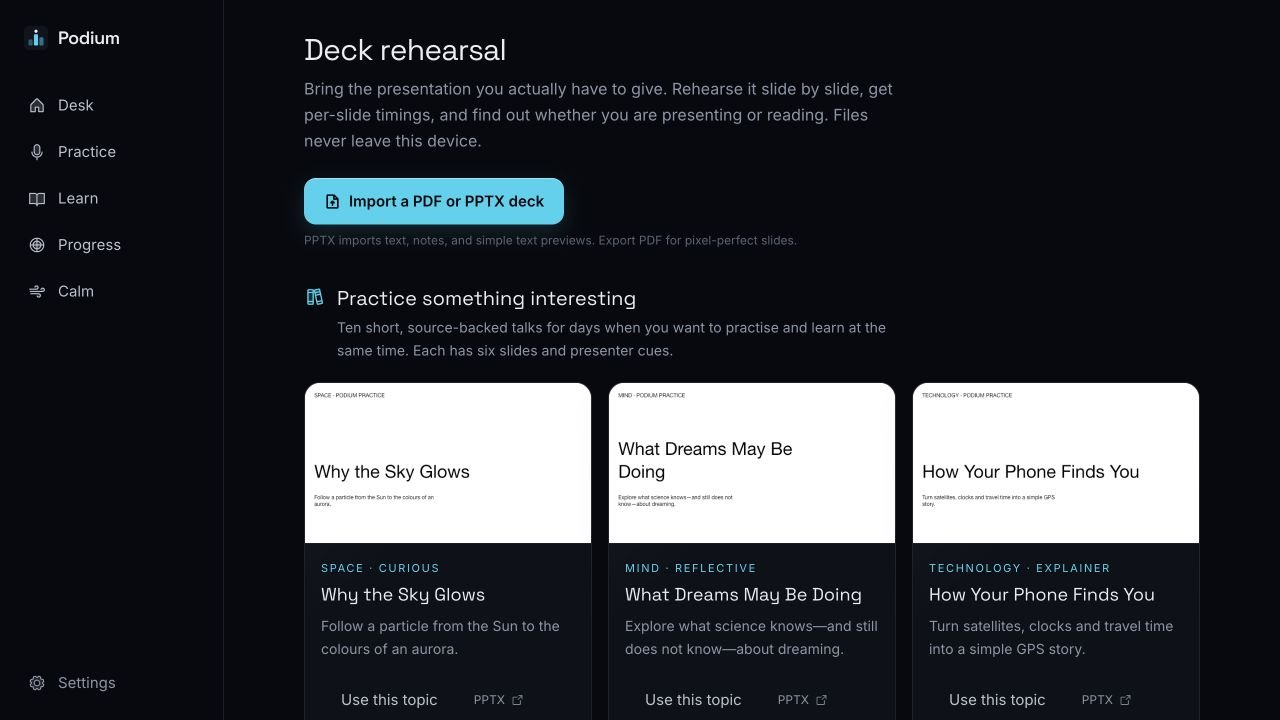
Import PowerPoint, OpenDocument, PDF or slide images. Keep your notes, set a target time and practise any part of the deck.
Private rehearsal software
Practise presentations and interviews using your own slides. Face a realistic audience, record a private take and see one thing to improve.
6practice rooms
38audience characters
Privatelocal recordings and feedback
PPT · PDFyour actual presentation
Prepare the slides. Enter the room. Speak through the nerves. Then decide what to change.
Import PowerPoint, OpenDocument, PDF or slide images. Keep your notes, set a target time and practise any part of the deck.
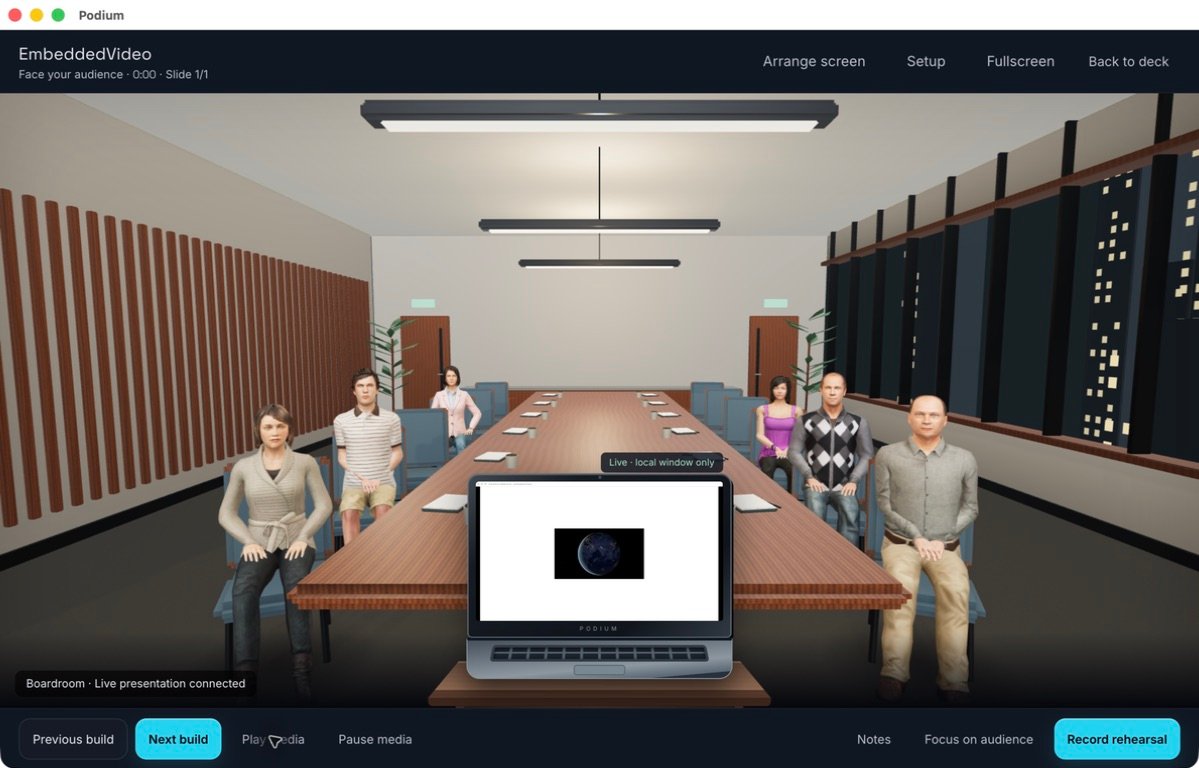
Start with two interviewers or a small class. Move to a boardroom, conference or auditorium when you are ready.
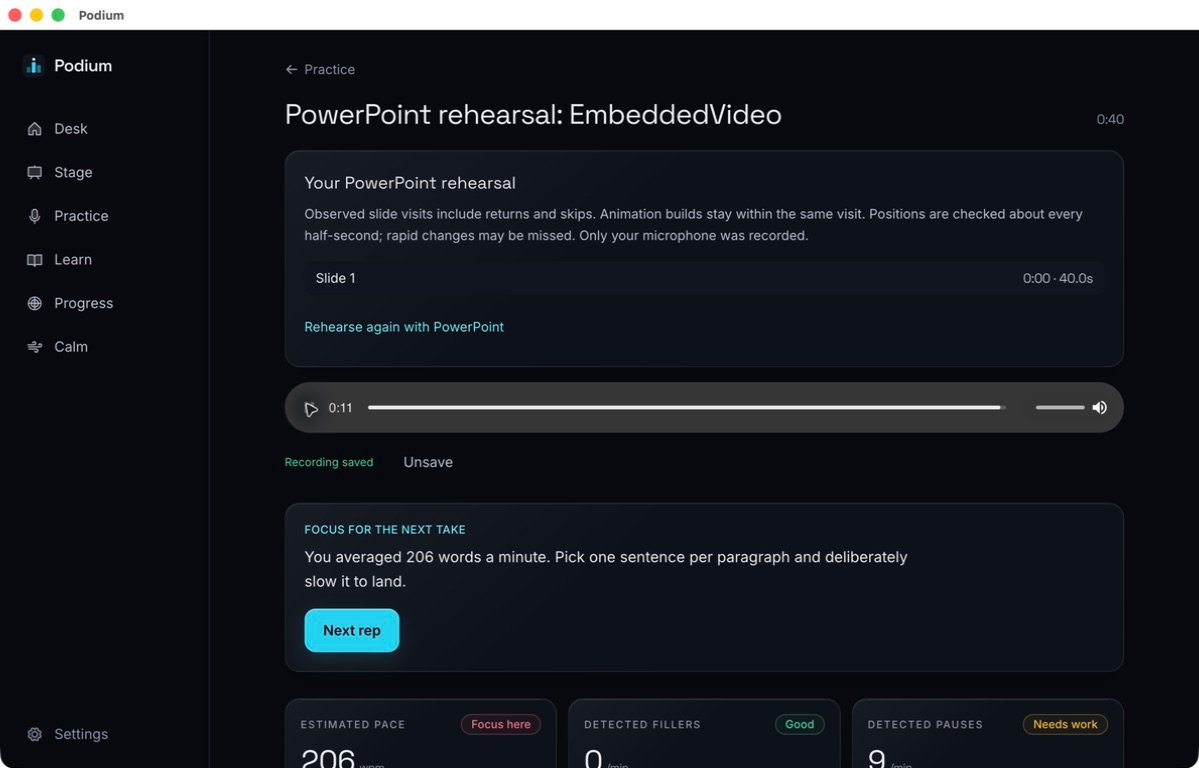
See your pace, pauses, filler words and slide timing. Leave with one clear focus for the next take.
Answer likely follow-up questions, give short briefings and train pacing, clarity, pitch and projection.
Your material
Use your own presentation or choose a built-in practice topic. Slides, notes and timing stay together for your next session.
On the local Mac app
Connect the original slideshow so its animations, charts, builds and embedded video still work. Put it on a room screen, desktop monitor or a smaller laptop at the podium.
Live PowerPoint control currently requires Microsoft PowerPoint and Podium for macOS. Static deck rehearsal works on web and Windows.
After the take
Replay your recording, see what happened and choose the next step. There is no public score or leaderboard.
Use the deck, audience and questions that resemble the real event.
Increase difficulty in steps instead of forcing one overwhelming attempt.
Work on one observable behaviour, record another take and compare.
Practise badly, stop early and try again without anybody else watching.
Get Podium
The desktop preview is invite-only. Sign up with your email, then enter the access code we send you.
Public access is coming soon
Apple silicon · 199 MB
Windows 10/11, x64 · 177 MB
Official preview build. It is safe to download from this site, but it is not code-signed yet, so Windows may show a SmartScreen warning.
Desktop builds are early-access software. Download them only from podium.rqai.co.uk and keep a copy of important presentation files.